
Skip to content

Facebook Reels Downloader

Save public Facebook Reels as vertical HD MP4 files with sound, or keep only the audio. Paste the Reel link and download in seconds.

✓ Free, no sign-up✓ Up to 4K & MP3✓ Playlists & Shorts✓ Works on any device

How to use the Facebook Reels Downloader

  1. Open the Reel in the Facebook app, tap Share and choose Copy link.

    A Facebook video link pasted into the SaveDock download box, with the Facebook tab selected
  2. Paste the facebook.com/reel or fb.watch link above.

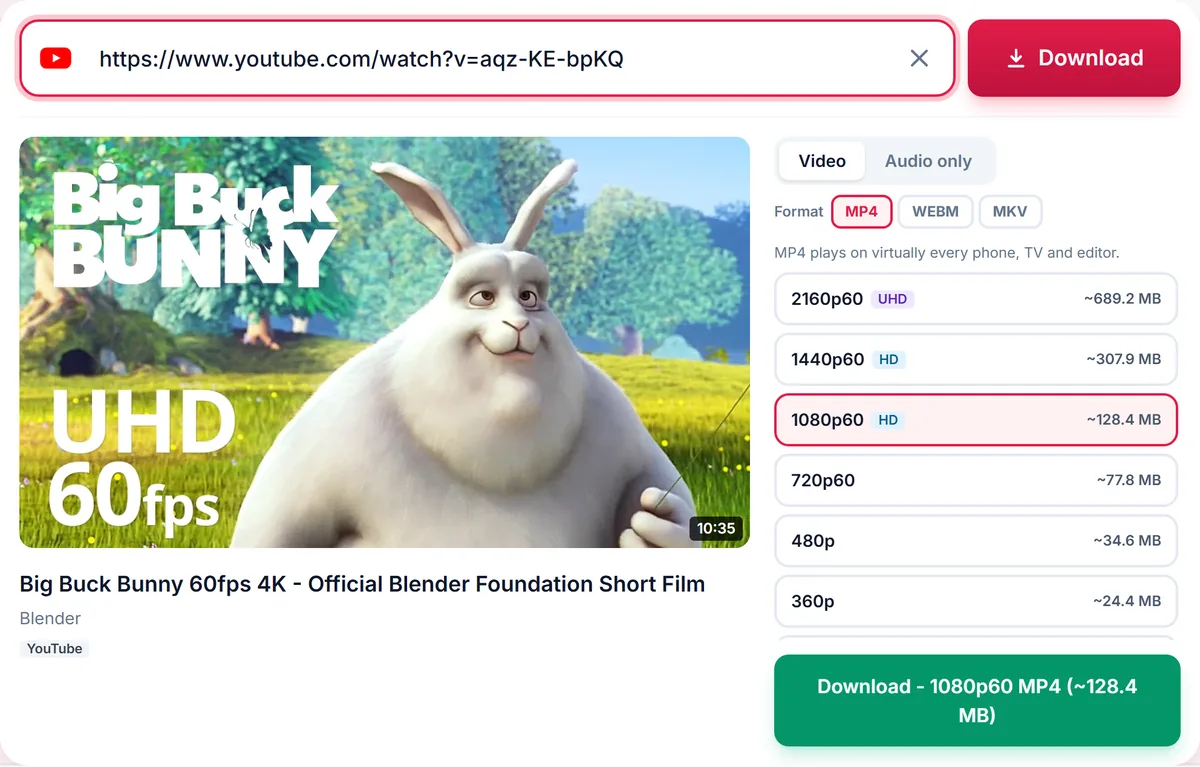
    Quality list for a video: 2160p 4K, 1440p, 1080p, 720p, 480p and 360p MP4, each with its file size
  3. Choose HD or SD (or the Audio tab for MP3) and press Download.

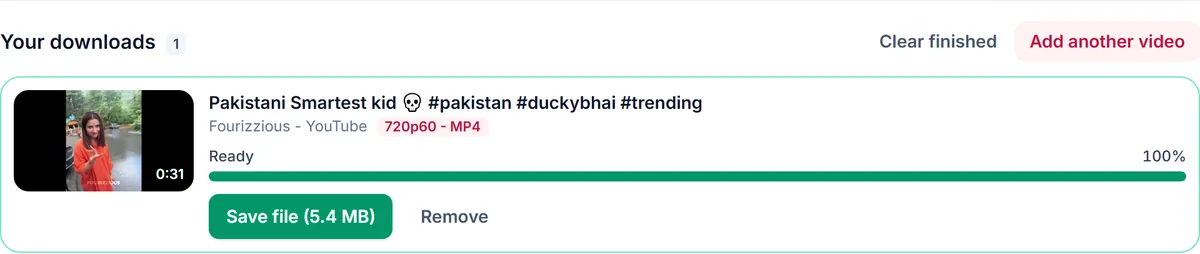
    A finished video download in Your downloads with a green Save file button and the file size

HD Reels with sound

Facebook often stores the HD picture and the sound of a Reel as two separate streams, which is why some tools save a silent clip. We download both and merge them into one MP4, so every HD Reel keeps its audio. If only SD is listed, the Reel was uploaded in standard definition.

Every Reel link format

Reel links from the app (facebook.com/reel/ID), fb.watch short links, and Reels shared from a Page or profile all work. Paste the link as it is; tracking text is removed automatically.

No watermark added

We never add a logo or watermark. The file is the Reel exactly as Facebook serves it, in its original vertical size, so it plays well on phones and can be cut in any editor.

Public Reels only

Reels from private profiles, closed groups and friends-only posts need a login, so they cannot be downloaded. Download Reels for personal use or with the creator's permission, and credit them when you share.

Only download content you own, that is licensed for download or that is in the public domain. See our Terms of Service.

Supported Facebook Reel link formats

  • Reelfacebook.com/reel/REEL_ID
  • Short linkfb.watch/CODE/
  • Shared linkfacebook.com/share/r/CODE/
  • Mobile linkm.facebook.com/reel/REEL_ID

Troubleshooting Facebook Reels downloads

The Reel will not load
It may be friends-only, in a private group, or deleted. Open the link in a private browser window; if it asks you to log in, it cannot be downloaded.
Only SD is offered
The Reel was uploaded in standard definition, so there is no HD copy.
The file will not open in Photos
Download the MP4 option and use Save Video from the Files app.
The link opens the Facebook home page
Copy the link again from the Share button of the Reel itself.

Tips for saving Facebook Reels

  • Use the Share button in the app to get a clean Reel link.
  • Pick HD if you plan to edit or re-upload with permission.
  • Use the Audio tab to keep only the music or voice-over.

Related guides

Facebook Reels downloader FAQ

How do I download a Facebook Reel on iPhone?

Copy the Reel link, paste it here in Safari and press Download. The file goes to the Files app, in Downloads; from there choose Save Video to add it to Photos.

Why does my Reel have no sound in other tools?

HD Reels keep the audio in a separate stream. We merge it into the MP4 so the file always has sound.

Can I save only the music of a Facebook Reel?

Yes. Open the Audio tab and choose MP3 or M4A.

Can I download Reels from a private profile?

No. Only public Reels can be downloaded, and we never ask for your Facebook password.

Is there a watermark?

No. We do not add any watermark.

How is your experience?

Rate your experience from 1 (bad) to 5 (excellent)