
Skip to content

YouTube to WAV Converter

Save the audio of a YouTube video as an uncompressed WAV file, ready for audio editors, DAWs, DJ software and video editing.

✓ Free, no sign-up✓ Up to 4K & MP3✓ Playlists & Shorts✓ Works on any device

How to use the YouTube to WAV Converter

  1. Copy the link of the YouTube video.

    A YouTube video link pasted into the SaveDock download box, with the YouTube tab selected
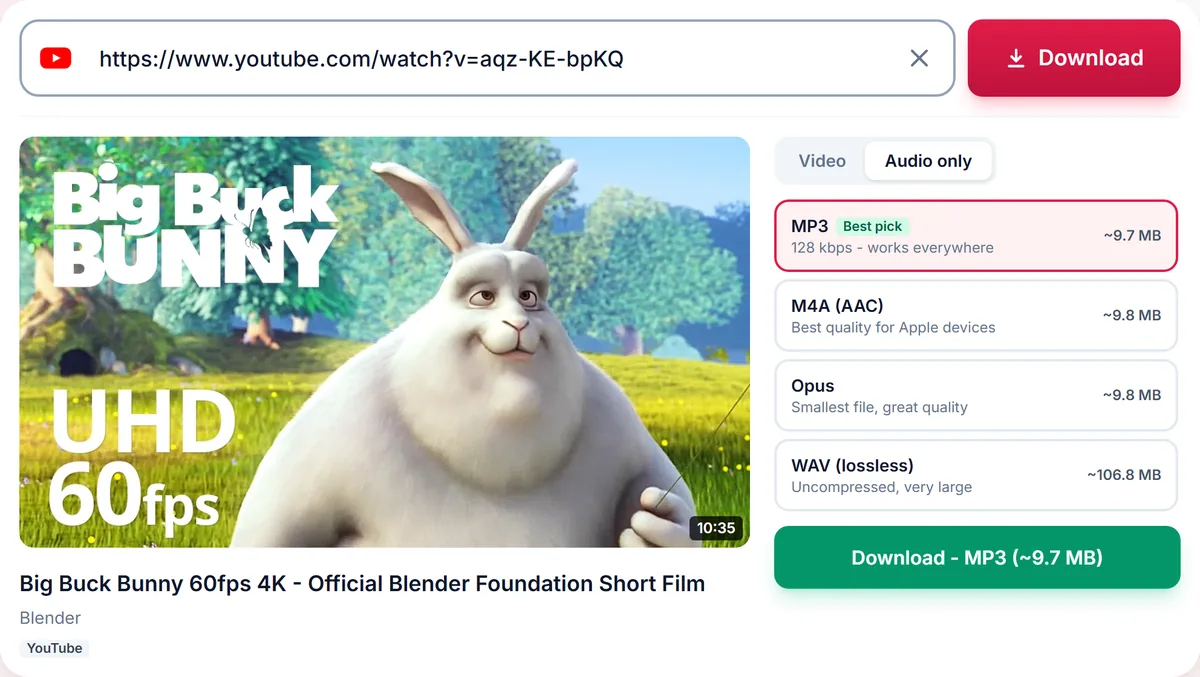
  2. Paste it above. The Audio tab opens with every format.

    Audio only tab with MP3, M4A, Opus and lossless WAV options and their file sizes
  3. Choose WAV (lossless) and press Download. Check the size first: WAV files are large.

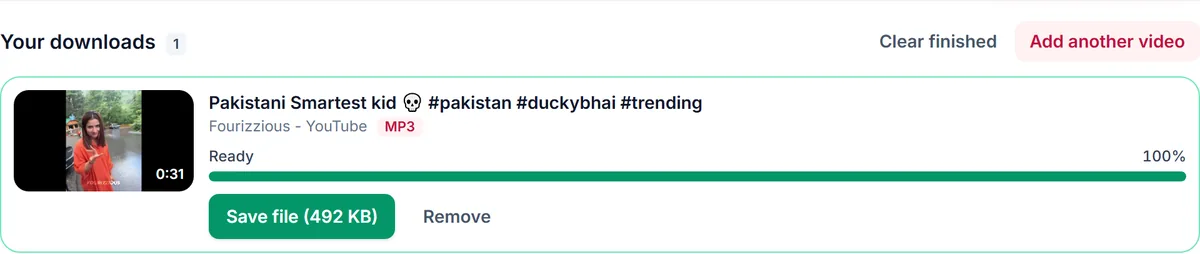
    A finished MP3 download in Your downloads, ready to save

When WAV is the right choice

WAV is the working format of audio editing. Audacity, Adobe Audition, Premiere, DaVinci Resolve, FL Studio, Ableton and DJ software load it instantly, and every cut, fade and export starts from the full decoded signal. If you are going to edit the audio and export it again, starting from WAV avoids adding another lossy step to the chain.

What WAV can and cannot do

YouTube audio is already compressed, so a WAV cannot bring back detail the upload never had. What it does is stop any further loss: it stores the decoded audio exactly as it is. For listening only, M4A sounds the same in a far smaller file.

File size

WAV stores about 10 MB per minute of stereo audio at 44.1 kHz and 16 bits, so a four-minute song is around 40 MB and a one-hour lecture around 600 MB. The size is shown next to the option before you download.

Use audio you have the rights to

Sampling, remixing and re-uploading need the rights holder's permission. Use WAV conversion for your own uploads, Creative Commons and public-domain audio, or material you are licensed to edit.

Only download content you own, that is licensed for download or that is in the public domain. See our Terms of Service.

Troubleshooting YouTube to WAV

The download is very large
WAV is uncompressed, about 10 MB per minute. Choose M4A if you only want to listen.
WAV is not offered
WAV needs our audio converter. If it is temporarily unavailable, choose Original audio and convert it in your editor.
The WAV sounds no better than M4A
That is expected. WAV stops further loss but cannot add detail the YouTube upload never had.
My editor shows the wrong length
Re-import the file; some editors cache an old preview.

Tips for working with WAV

  • Download WAV only for audio you will edit.
  • Export your finished edit to M4A or MP3 for sharing.
  • Check free disk space before converting long videos.

Related guides

YouTube to WAV downloader FAQ

Is a WAV from YouTube lossless?

The WAV file adds no further loss, but it cannot be better than the compressed audio YouTube streams.

What sample rate and bit depth do I get?

Standard CD-style WAV: 16-bit stereo at 44.1 kHz, which every editor and DAW supports.

Why is the WAV file so large?

WAV is uncompressed, about 10 MB per minute. Use M4A or MP3 for listening.

Can I convert a playlist to WAV?

Yes. Paste the playlist link, tick the videos and choose WAV, but expect very large files.

Is it free?

Yes, free with no sign-up.

How is your experience?

Rate your experience from 1 (bad) to 5 (excellent)