Skip to content

YouTube Playlist Downloader

Paste a playlist link and download every video in the quality you choose - as MP4 or as MP3 audio - with live progress for each item.

✓ Free, no sign-up✓ Up to 4K & MP3✓ Playlists & Shorts✓ Works on any device

How to use the YouTube Playlist Downloader

  1. Copy the playlist link (a youtube.com/playlist?list=... address).

    A YouTube playlist link pasted into the SaveDock download box
  2. Paste it above and pick one quality or audio format for the whole playlist.
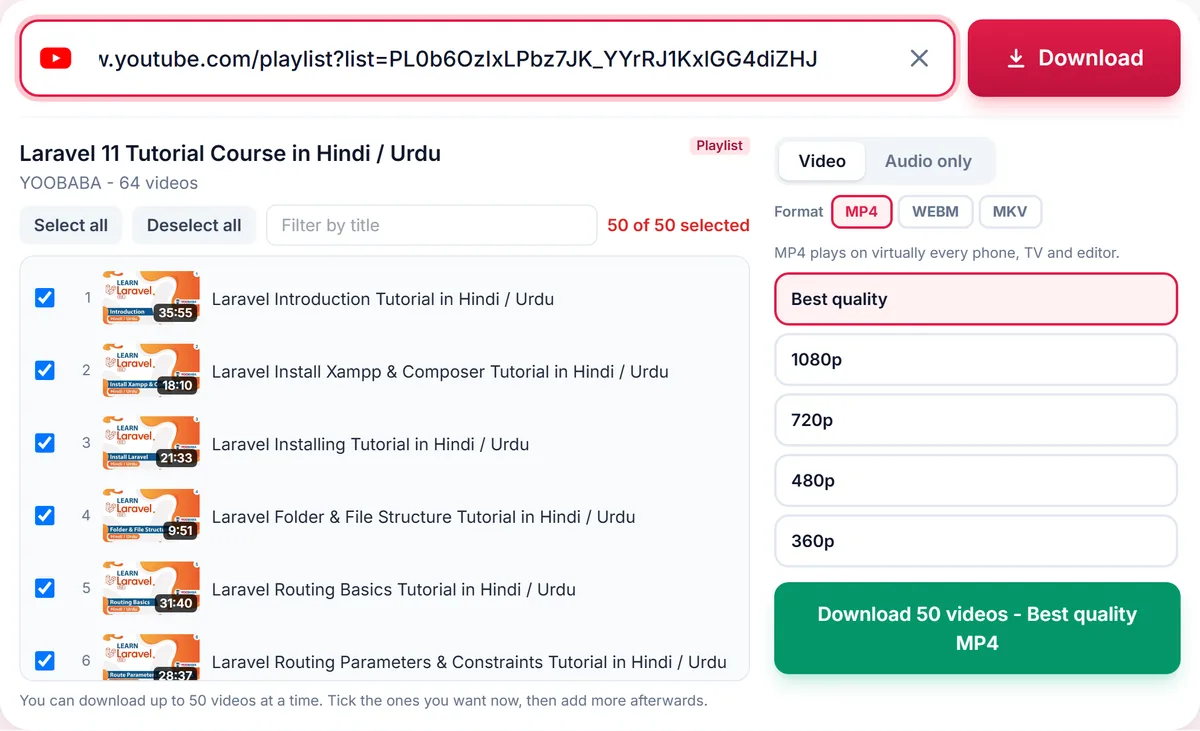
    YouTube playlist picker: a checkbox for every video, Select all, a title filter and one quality for the whole batch
  3. Press Download and save each finished item as it completes.
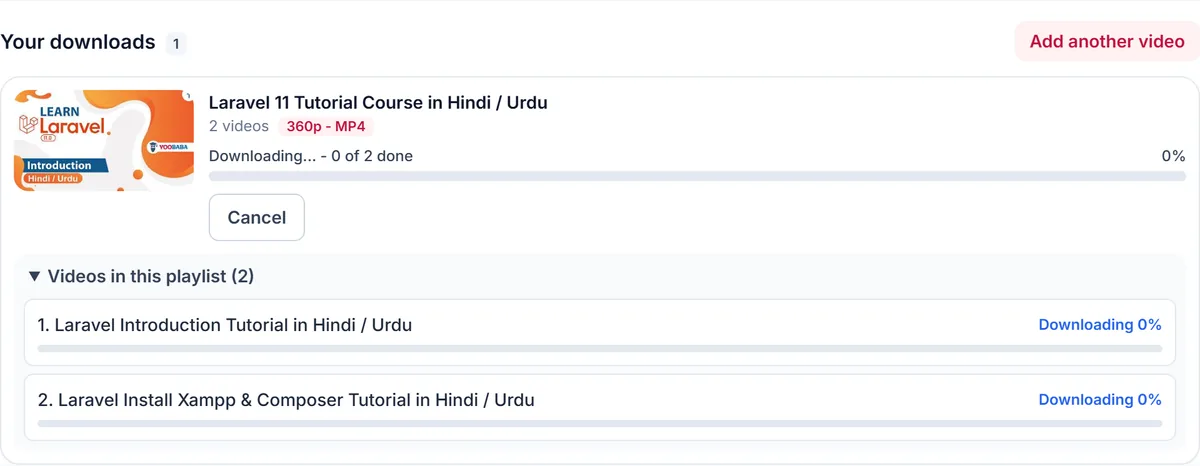
    A playlist download in progress: each video listed with its own progress bar and a Cancel button

Progress for every item

Each video is processed independently. If one video is private, deleted or region-locked, the rest continue, and you see exactly which items failed and why.

Sensible limits

To keep the service fast for everyone, playlists are limited to the first 50 videos per request. Longer playlists can be downloaded in several batches.

Playlist to MP3

Choose an audio format to turn a playlist into a folder of MP3 files - ideal for albums and lecture series that you are allowed to save.

Only download content you own, that is licensed for download or that is in the public domain. See our Terms of Service.

Troubleshooting playlist downloads

Only some of my videos downloaded
Private, deleted and region-blocked videos are skipped and shown as failed. Everything else carries on, so you still get the rest of the playlist.
The playlist shows fewer videos than YouTube
Unavailable videos are hidden from the list. A request also covers a maximum of 50 videos; paste the link again to continue with the next ones.
Nothing happens after I press Download
Make sure at least one video is ticked. The button shows how many videos are selected.
A video inside a playlist link downloads alone
A link with both a video and a playlist is treated as the single video. Use the button that offers the whole playlist, or paste the playlist page link.

Tips for downloading playlists

  • Use Deselect all, then tick only the videos you want.
  • Hold Shift while clicking to select a whole range at once.
  • Use the filter box to find videos by title in long lists.
  • Choose 720p or audio only to keep a large playlist small.

Related guides

YouTube Playlists downloader FAQ

How many videos can I download from a playlist?

Up to 50 videos per request.

Can I choose different qualities for different videos?

One quality applies to the whole playlist. Download single videos separately if you need different qualities.

What happens to private or deleted videos in a playlist?

They are skipped and marked as failed while the others continue.

Can I download a playlist as MP3?

Yes. Pick an audio format and each video is converted to its own audio file.

How is your experience?

Rate your experience from 1 (bad) to 5 (excellent)