

Skip to content

Twitter (X) Video to MP3 Converter

Extract the audio from a public X (Twitter) video post and save it as MP3, M4A, Opus or WAV. Paste the post link and download.

✓ Free, no sign-up✓ Up to 4K & MP3✓ Playlists & Shorts✓ Works on any device

How to use the Twitter (X) Video to MP3 Converter

  1. On X, open the post with the video, tap Share and choose Copy link.

    An X (Twitter) post link pasted into the SaveDock download box, with the X tab selected
  2. Paste the x.com or twitter.com link above. The Audio tab opens automatically.

    Audio only tab with MP3, M4A, Opus and lossless WAV options and their file sizes
  3. Choose MP3 or another format and press Download.

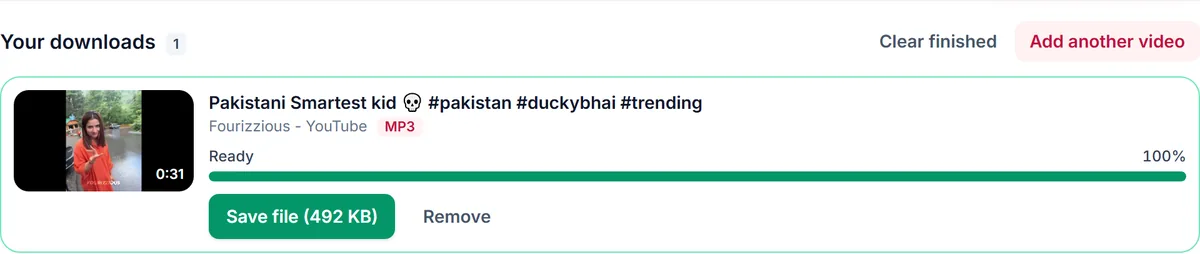
    A finished MP3 download in Your downloads, ready to save

Clips, speeches and Spaces recordings

Videos on X are often news clips, speeches, interviews and short music performances where the sound is what matters. Converting them to MP3 lets you listen offline, quote a clip accurately or keep a short sound for a project, without saving the whole video.

x.com and twitter.com links both work

Paste a post link in either form, including links that end with /video/1. The post is recognised automatically. Links to a profile or a search page are not posts, so they have nothing to convert.

When there is no audio to save

Animated GIFs on X are silent MP4 clips, and some posts only show images. For those the Audio tab has no formats, because there is no sound in the source. Videos that embed a YouTube link are not stored on X; paste the YouTube link instead.

Respect the poster

Only public posts can be converted; protected accounts need a login. Use the audio for personal listening, commentary or with permission, and credit the original poster when you quote it.

Only download content you own, that is licensed for download or that is in the public domain. See our Terms of Service.

Troubleshooting X (Twitter) to MP3

No audio formats are listed
The post holds a GIF, images or a silent video. There is no sound to convert.
It says the post has no video
The video may be a YouTube link shown as a card. Paste the YouTube link instead.
The account is protected
Posts from protected accounts need a login and cannot be converted.
The link will not work
Copy it again from Share; it must point to a single post (it contains /status/).

Tips for saving X audio

  • Copy the link from the Share menu to avoid tracking text.
  • Use M4A to keep the original audio without re-encoding.
  • Credit the poster when you quote a clip.

Related guides

X (Twitter) to MP3 downloader FAQ

Can I download the audio of a tweet?

Yes, if the post contains a video with sound. Paste the post link and choose MP3.

Why does the Audio tab show no formats?

The post is a GIF or a silent video, so there is no sound to convert.

Do I need an X account?

No. Public posts work without logging in.

Can I save the video too?

Yes. Switch to the Video tab or use the Twitter video downloader page.

Is it free?

Yes, free with no sign-up.

How is your experience?

Rate your experience from 1 (bad) to 5 (excellent)