
Skip to content

Facebook Video to MP3 Converter

Save the sound of a public Facebook video or Reel as MP3, M4A, Opus or WAV. Paste the link, pick a format and download.

✓ Free, no sign-up✓ Up to 4K & MP3✓ Playlists & Shorts✓ Works on any device

How to use the Facebook Video to MP3 Converter

  1. Open the video or Reel on Facebook, tap Share and choose Copy link.

    A Facebook video link pasted into the SaveDock download box, with the Facebook tab selected
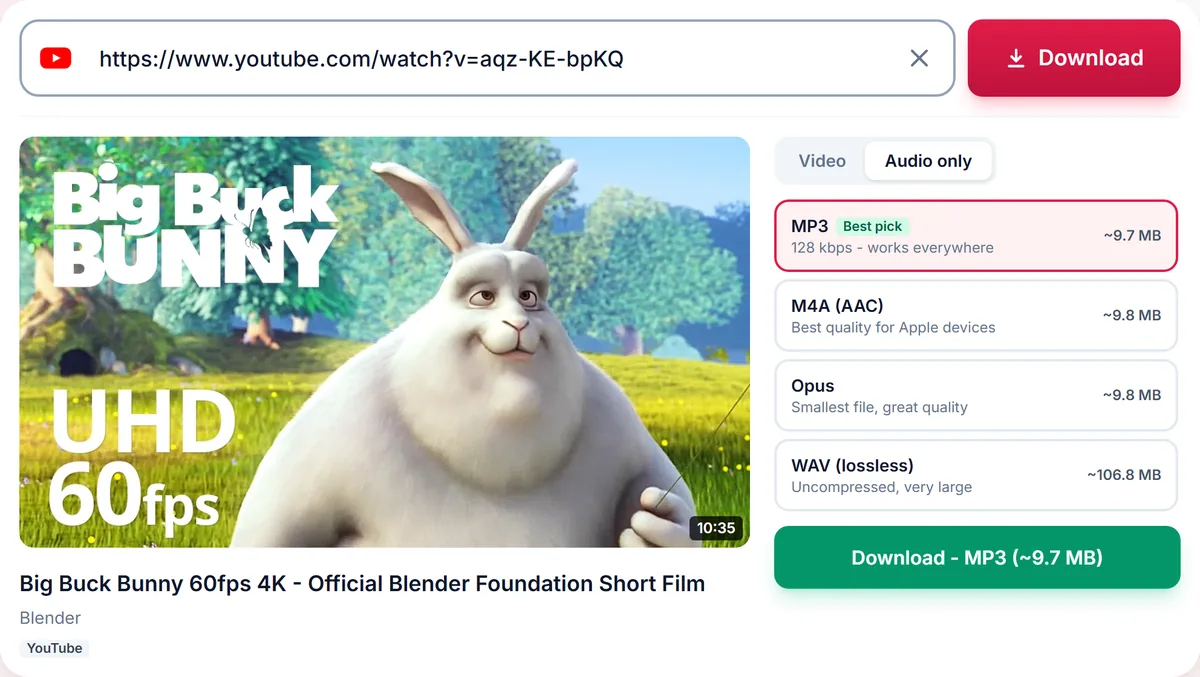
  2. Paste the link above. The Audio tab opens with every format.

    Audio only tab with MP3, M4A, Opus and lossless WAV options and their file sizes
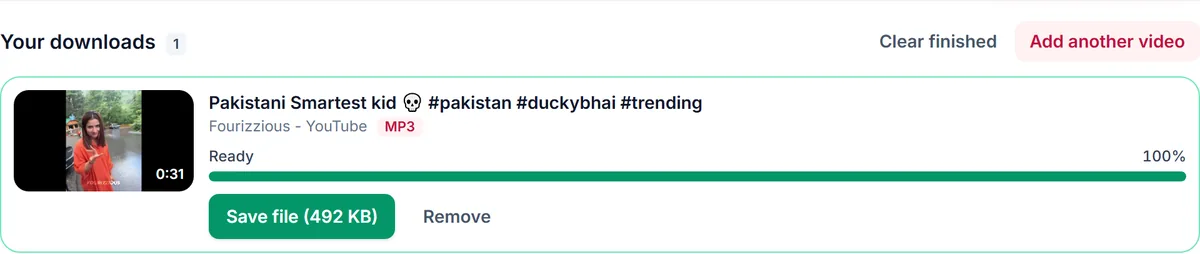
  3. Choose MP3 (or M4A on iPhone) and press Download.

    A finished MP3 download in Your downloads, ready to save

Audio from videos, Reels and watch links

Facebook has no option to save only the sound of a video. Paste a watch link, a /reel/ link, a video from a Page or an fb.watch short link and we take the audio track and convert it to the format you choose. Live videos can be converted once the broadcast has ended.

Good uses for Facebook audio

Sermons, talks, interviews, recorded lessons and music performances shared by Pages are often easier to listen to than to watch. As an MP3 they play in the car, in a podcast app or with the screen off, and take a fraction of the storage of the video.

Bitrate and file size

Facebook audio is usually AAC at around 128 kbps or less. We offer only the MP3 bitrates the source can fill, so a 320 kbps option appears only when there is enough audio detail. For a one-hour talk, 128 kbps MP3 is about 55 MB and is perfectly clear for speech.

Public videos and permission

Only public videos can be converted: friends-only posts, private groups and videos that need a login cannot. Keep recordings for personal listening, or ask the Page or creator before you reuse them.

Only download content you own, that is licensed for download or that is in the public domain. See our Terms of Service.

Troubleshooting Facebook to MP3

The video will not load
It may be friends-only, in a private group or deleted. If the link asks you to log in in a private browser window, it cannot be converted.
The live video fails
Wait until the broadcast has ended and the replay is published, then try again.
320 kbps is not offered
The source audio is not detailed enough. A higher bitrate would only make a bigger file.
The audio is quiet
Conversion keeps the original loudness. Raise the volume in your player.

Tips for saving Facebook audio

  • Use 128 kbps MP3 for talks and sermons to keep files small.
  • Use M4A on iPhone.
  • Ask the Page before you reuse a recording.

Related guides

Facebook to MP3 downloader FAQ

Can I convert a Facebook Reel to MP3?

Yes. Paste the Reel link, open the Audio tab and choose MP3.

Does it work for Facebook Live videos?

Yes, once the live stream has ended and the replay is public.

Can I convert videos from a private group?

No. Content that needs a login cannot be downloaded, and we never ask for your Facebook password.

What is the best format for a long talk?

MP3 at 128 kbps or M4A. Both keep speech clear in a small file.

Is it free?

Yes, with no sign-up, no app and no watermark.

How is your experience?

Rate your experience from 1 (bad) to 5 (excellent)