Free Online Video Downloader
Save videos, Shorts, Reels and whole playlists from YouTube, Instagram, TikTok, X and more in HD, 4K or MP3. Free, no sign-up.
✓ Free, no sign-up✓ Up to 4K & MP3✓ Playlists & Shorts✓ Works on any device
Everything you need to save a video
Every quality, with sound
Choose from 144p up to 4K. HD video and audio are merged automatically so your file always has sound.
Video or audio only
Save the full video, or just the audio as MP3 (128-320 kbps), M4A, Opus or WAV.
Pick your file format
Download as MP4 for maximum compatibility, WebM, or MKV. Sizes are shown before you download.
Many platforms, one tool
YouTube videos, Shorts and playlists, Instagram Reels, TikTok clips, X posts, Facebook videos and Pinterest pins.
Private by design
No accounts, no ads and no cross-site tracking. Finished files are deleted automatically after a few hours.
Fast on any device
Works in the browser on phones, tablets and computers. Nothing to install.
How to download a video in 3 steps
-

Copy the link of the video from YouTube, Instagram, TikTok, X, Facebook or Pinterest.
-
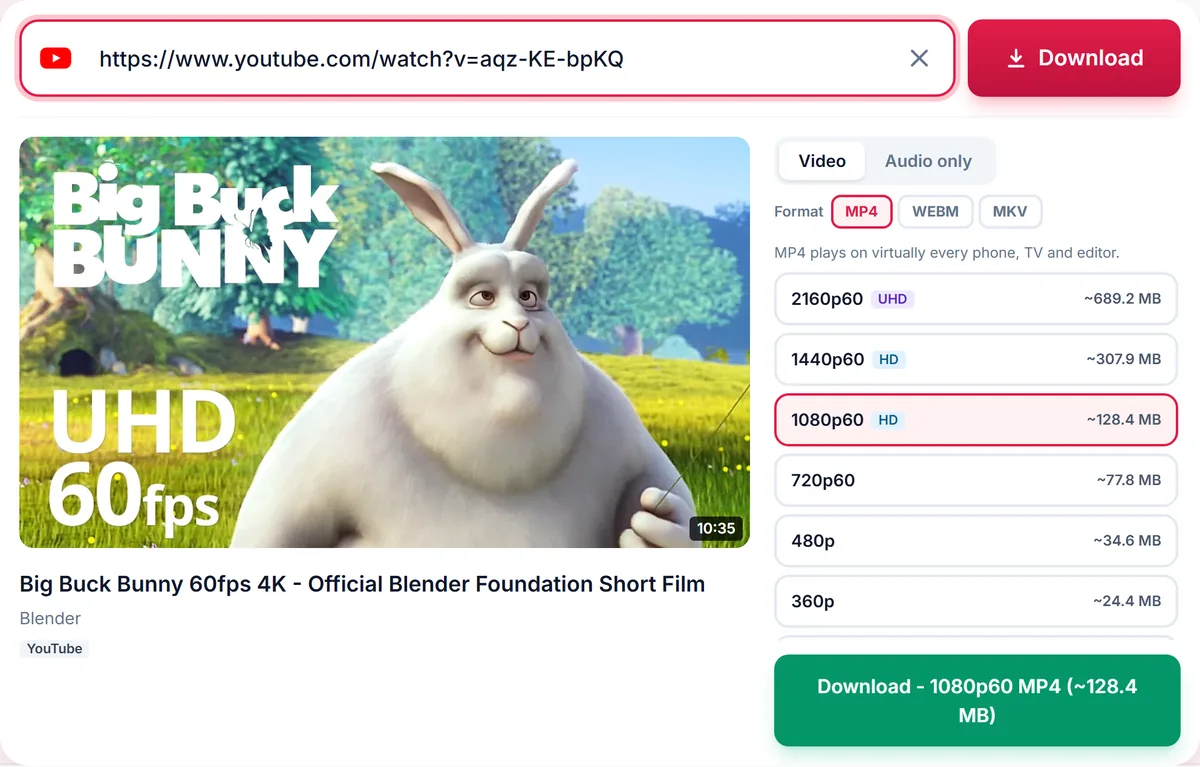
Paste it into the box above. We list every video quality and audio format available.
-
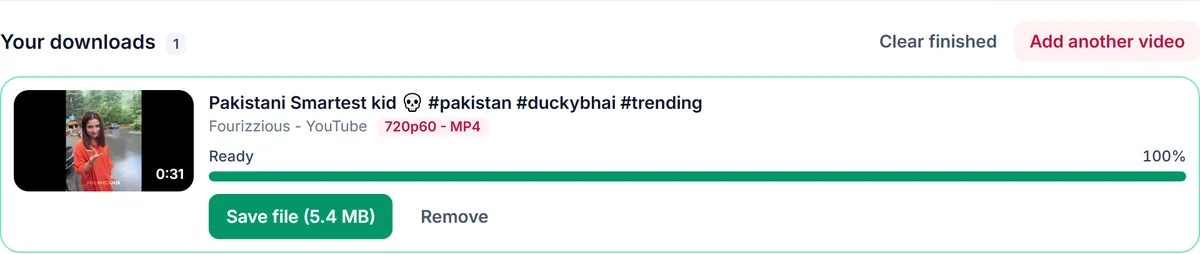
Choose video or audio, pick the quality and press Download.
Supported platforms
Dedicated downloaders for the most popular video sites.
YouTube Video Downloader
YouTube to MP3 Converter
YouTube Shorts Downloader
YouTube Playlist Downloader
Instagram Video Downloader
Instagram Reels Downloader
Facebook Video Downloader
TikTok Video Downloader
YouTube to MP4 Converter
4K YouTube Video Downloader
TikTok to MP3 Converter
Twitter (X) Video Downloader
Pinterest Video Downloader
A video downloader that just works
SaveDock is an online video downloader that runs entirely in your browser. There is nothing to install and no account to create: copy the link of a public video from YouTube, Instagram, Facebook or TikTok, paste it into the box and choose how you want to save it.
Videos are offered in every quality the source provides, from 144p to 4K. Many platforms deliver HD pictures and sound as separate streams; we merge them for you so the file you get always has audio. Prefer to listen? Switch to the audio tab and save the sound as an MP3, M4A, Opus or WAV file, picking the bitrate that suits you.
Use SaveDock for content you own, that is licensed for download or that is in the public domain, such as your own uploads, backups, lectures and Creative Commons material. Please respect creators and each platform's terms of service. Read our Terms of Service and Privacy Policy to see how we run the service.
Guides & how-tos
Learn how to save videos on any device and choose the right format.
- How to Download YouTube Videos on iPhoneStep-by-step guide to saving YouTube videos to your iPhone or iPad with Safari, finding them in the Files app…
- How to Download YouTube Videos on AndroidLearn how to save YouTube videos to your Android phone in Chrome: copy the link, choose MP4 quality, download…
- How to Download a YouTube PlaylistDownload a whole YouTube playlist or just the videos you pick. Learn how selection works, the 50-video limit,…
- How to Save Instagram Reels to Your PhoneSave public Instagram Reels and videos to your phone or computer in MP4. Copy the link, paste it, choose the …
- How to Download TikTok Videos Without the AppSave public TikTok videos to your phone or PC as MP4, or extract the sound as MP3. Copy the link, paste it an…
- How to Download Facebook Videos in HDDownload public Facebook videos and Reels in HD MP4. Copy the video link, paste it, pick a quality and save i…
Built for AI agents too
SaveDock runs a public MCP server. Connect Claude, Cursor, Kiro or any MCP-compatible agent in under a minute — then just say "download this video" and your agent does the rest.
- 4 tools: download, info, status, cancel
- No account or key needed — 10 free downloads / hour
- Streamable HTTP — works with any MCP client
- YouTube, Instagram, TikTok, Facebook & more
Paste the prompt into any AI chat to activate the downloader instantly
{
  "mcpServers": {
    "savedock": {
      "url": "https://mcp.savedock.pro/mcp"
    }
  }
}
Frequently asked questions
Is this video downloader really free?
Yes. There are no fees, no premium tier and no limits on how many videos you can download, apart from fair-use rate limits that protect the service for everyone.
Do I need to sign up or log in?
No. There are no accounts on this site. Paste a link, pick a quality and download.
Which websites are supported?
YouTube (videos, Shorts and playlists), Instagram (Reels and posts), TikTok, X (Twitter), Facebook (videos and Reels) and Pinterest. More sites are planned.
Can I download only the audio?
Yes. After you paste a link, switch to the Audio tab and choose MP3 (128, 192 or 320 kbps), M4A, Opus or WAV.
Why does a higher quality sometimes take longer?
Many platforms deliver HD video and audio as separate streams. We download both and merge them into a single file for you, which takes a little extra time for 1080p and above.
Why can't I download some videos?
Private videos, videos that need a login, live streams that have not ended, and content blocked in our server region cannot be downloaded. The page tells you exactly which case applies.
Is it legal to download videos?
Downloading is intended for personal use of content you own, that is licensed for download, or that is in the public domain. You are responsible for respecting copyright and each platform's terms.