
Skip to content

YouTube to MP3 Converter

Turn a YouTube video into an MP3 file in a few seconds. Pick the bitrate you want, or choose M4A, Opus or lossless WAV.

✓ Free, no sign-up✓ Up to 4K & MP3✓ Playlists & Shorts✓ Works on any device

How to use the YouTube to MP3 Converter

  1. Copy the YouTube link of the video or song.

    A YouTube video link pasted into the SaveDock download box, with the YouTube tab selected
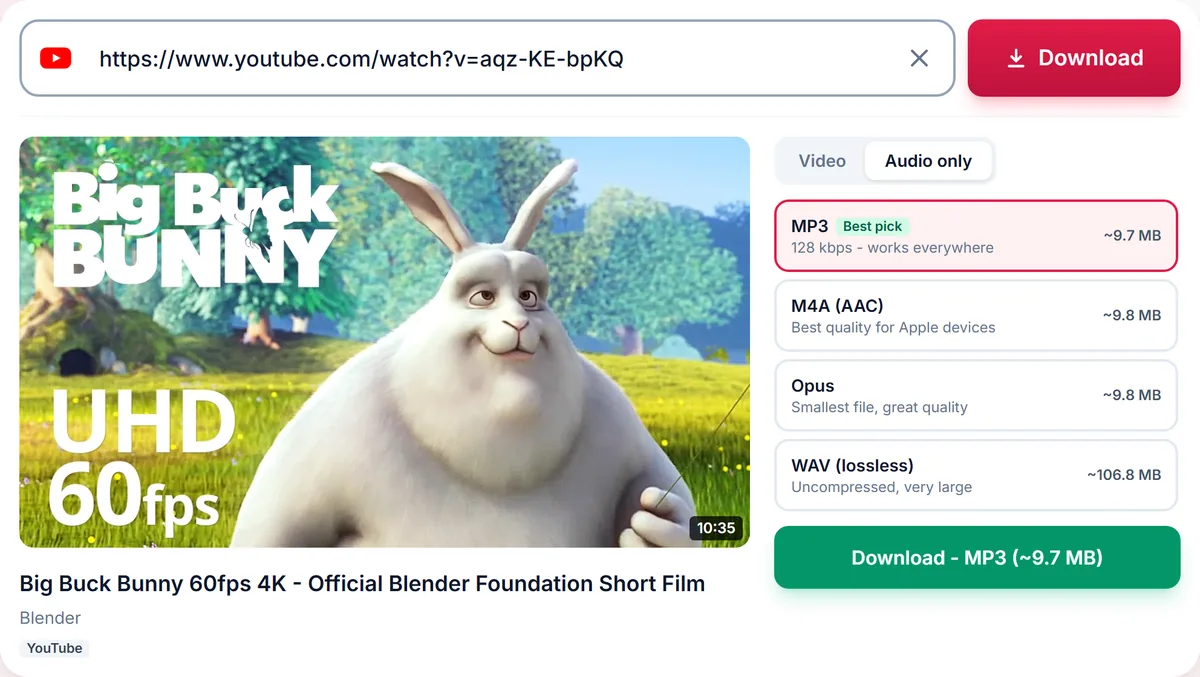
  2. Paste it above - the Audio tab opens automatically with every format.

    Audio only tab with MP3, M4A, Opus and lossless WAV options and their file sizes
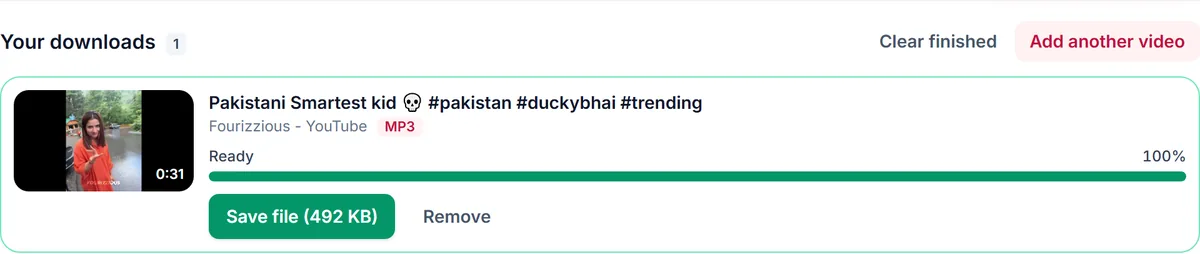
  3. Pick MP3 (or M4A, Opus, WAV) and press Download.

    A finished MP3 download in Your downloads, ready to save

Pick the right audio format

MP3 works on every device and player. M4A (AAC) is smaller at the same quality and is the native choice for Apple devices. Opus delivers the best quality per megabyte, and WAV is uncompressed for editing. We only offer bitrates that make sense for the source - converting a 128 kbps source to 320 kbps would only inflate the file.

Why the bitrate matters

A higher bitrate keeps more detail but creates a larger file. 128 kbps is fine for speech, 192 kbps suits most music, and 320 kbps is for critical listening when the source quality supports it.

Only for audio you may keep

Convert audio you created, that is licensed for download, or that is in the public domain. Respect artists and the YouTube Terms of Service.

Only download content you own, that is licensed for download or that is in the public domain. See our Terms of Service.

Troubleshooting YouTube to MP3 conversions

The MP3 option for 320 kbps is missing
Higher bitrates are only offered when the source audio is good enough. Converting low-bitrate audio to 320 kbps would only make a bigger file, so we show 192 or 128 kbps instead.
The conversion fails or says audio conversion is unavailable
MP3 conversion needs our audio converter. If it is temporarily unavailable, choose the Original audio option or try again in a few minutes.
The file name looks odd
Files are named after the video title. Characters that are not allowed in file names are replaced automatically.
My music app does not show the file
Open the Files or Downloads folder and add the file to your music library manually, or restart the music app so it rescans storage.

Tips for better YouTube to MP3 results

  • Pick MP3 192 kbps for most music and 128 kbps for speech to keep files small.
  • Choose M4A on iPhone for the best quality per megabyte.
  • Convert full albums by pasting the playlist link and selecting only the tracks you want.
  • Check you have the right to keep the recording before you convert it.

Related guides

YouTube to MP3 downloader FAQ

Is the YouTube to MP3 converter free?

Yes, completely free with no sign-up and no software to install.

What MP3 quality can I get?

Up to 320 kbps when the source audio is high enough quality. The page only lists bitrates that your video can actually deliver.

Can I convert a whole playlist to MP3?

Yes. Paste a YouTube playlist link, switch to Audio and choose a format; each track becomes its own file.

Does it work on iPhone and Android?

Yes. It runs in your mobile browser. M4A is a good choice on iPhone, MP3 works everywhere.

Are the converted files stored?

Files are deleted automatically a few hours after conversion.

How is your experience?

Rate your experience from 1 (bad) to 5 (excellent)